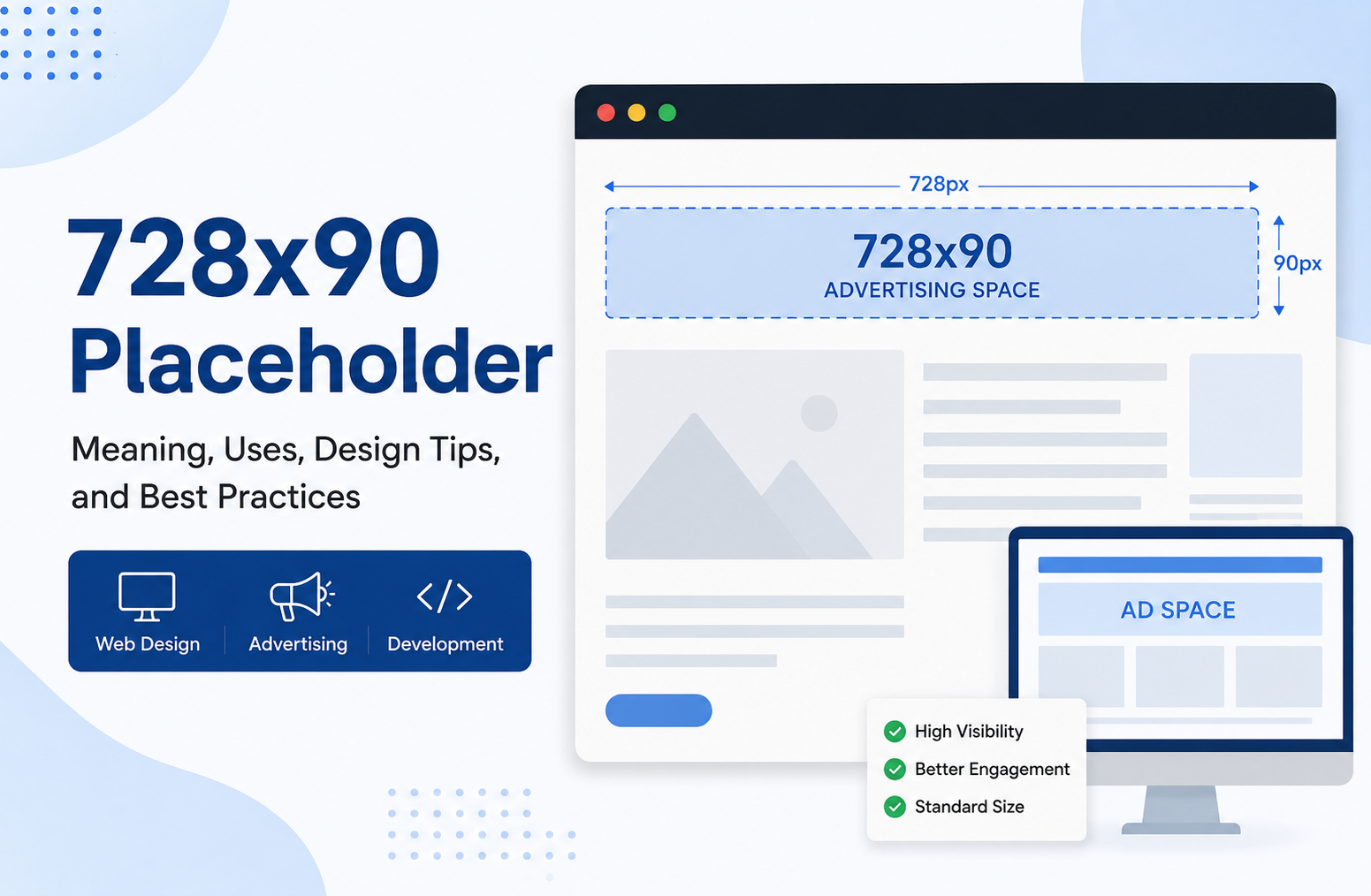
728×90 Placeholder: Meaning, Uses, Design Tips, and Best Practices
In digital advertising and web design, the term 728×90 placeholder is widely used to represent a standard banner ad space before the final advertisement is added. Whether you are building a website, testing ad layouts, designing mockups, or preparing a client presentation, understanding how a 728×90 placeholder works can improve both design quality and advertising performance.
This banner size is one of the most recognized formats in online advertising because it fits naturally at the top of desktop webpages. Marketers, publishers, bloggers, and developers often rely on placeholders during the planning stage to visualize ad placement and maintain a clean layout before real campaigns go live.
A well-designed placeholder is not just an empty box. It helps teams organize page structure, avoid layout shifts, test responsiveness, and create a better user experience. In modern website development, placeholders also play a role in SEO performance, page speed optimization, and advertising strategy.
What Is a 728×90 Placeholder?
A 728×90 placeholder is a temporary visual block designed to reserve space for a leaderboard advertisement measuring 728 pixels wide and 90 pixels tall. This size is commonly used in display advertising networks and appears mostly on desktop versions of websites.
The placeholder can include:
- Sample graphics
- Text such as “Advertisement”
- Neutral colors
- Branding guidelines
- Mock campaign visuals
- Empty bordered sections
The purpose is to maintain structure and design consistency before live ads are inserted.
Why the 728×90 Size Became Popular
The 728×90 banner format became popular because it offers high visibility without interrupting the browsing experience. It usually appears near the top of a webpage, making it one of the first visual elements users notice.
Key reasons for its popularity include:
Strong Visibility
This banner stretches horizontally across the page, giving advertisers enough room for branding, messaging, and calls to action.
Better Click Potential
Since it sits near primary content areas, it naturally attracts attention and often performs better than smaller display ads.
Standardization Across Networks
Major advertising platforms adopted the 728×90 dimension early, making it a standard size for publishers and marketers.
Easy Integration
Designers can easily include this banner within desktop layouts without disrupting article readability.
Common Uses of a 728×90 Placeholder
A placeholder serves different purposes depending on who is using it. Below are the most common applications.
Website Development and Testing
Developers often use placeholders during site creation to test:
- Layout spacing
- Responsive design behavior
- Header structure
- Ad loading performance
- Visual balance
Without placeholders, websites may experience sudden layout shifts when ads load later.
Advertising Mockups
Marketing agencies frequently use placeholders in presentations to show clients where campaigns will appear.
This helps clients understand:
- Banner visibility
- User placement
- Branding impact
- Content alignment
CMS Theme Design
WordPress developers and theme creators use placeholders to prepare advertising-ready layouts before publishers install ad scripts.
UI and UX Planning
User experience designers use placeholder banners to ensure advertisements do not negatively affect navigation or readability.
Educational Demonstrations
Design schools and digital marketing courses often use placeholder examples to teach banner placement strategies.
Understanding the Leaderboard Banner Format
The 728×90 dimension is commonly called a leaderboard ad. It is considered a premium banner format because of its high visibility.
Standard Characteristics
| Feature | Details |
| Width | 728 pixels |
| Height | 90 pixels |
| Placement | Header or top content area |
| Device Focus | Desktop |
| Common Use | Display advertising |
Benefits of Using a 728×90 Placeholder
Many website owners underestimate the value of placeholders. In practice, they provide important structural and strategic advantages.
Prevents Layout Shift
When space is reserved before ads load, the page remains visually stable. This improves user experience and supports better Core Web Vitals performance.
Speeds Up Design Workflow
Teams can finalize layouts early without waiting for finalized ad creatives.
Improves Visual Planning
Placeholders help designers maintain proportional balance between ads and content.
Supports Ad Revenue Planning
Publishers can strategically test placement positions before launching monetization campaigns.
Helps With Responsive Design
Developers can identify how banners behave on different screen sizes before implementing real ad scripts.
Essential Design Elements of an Effective Placeholder
A good placeholder should look clean and purposeful rather than unfinished.
Clear Dimensions
The space should accurately represent the 728×90 format to avoid scaling issues later.
Neutral Styling
Most placeholders use soft gray tones or subtle borders to avoid distracting users.
Labeling
Adding words like “Ad Space” or “Advertisement” improves clarity.
Lightweight Graphics
Heavy images can slow down testing environments unnecessarily.
Responsive Considerations
Even desktop-focused banners should adapt gracefully on smaller screens.
Best Design Practices for 728×90 Placeholder Banners
Keep the Layout Minimal
Avoid excessive decoration. The placeholder should reserve space without overwhelming the page.
Maintain Proper Alignment
Ensure the banner aligns naturally with page margins and content grids.
Use Accessible Contrast
Text inside placeholders should remain readable for all users.
Avoid Misleading Content
Never design placeholders that resemble real navigation buttons or article headlines.
Optimize for Performance
Compressed assets and simple SVG graphics are often the best choices.
Responsive Design Challenges
Although the 728×90 format is designed for desktop use, modern websites must adapt across multiple devices.
Mobile Compatibility Issues
Smartphones cannot comfortably display a full-width 728×90 banner.
Responsive Alternatives
Developers often replace the leaderboard with:
- 320×50 mobile banners
- 300×250 rectangles
- Adaptive responsive ads
CSS Media Queries
Responsive CSS rules help control when and where placeholders appear.
Example approach:
- Desktop shows 728×90
- Tablet switches to smaller banners
- Mobile hides leaderboard entirely
SEO Impact of Banner Placeholders
Advertising design affects more than visual appearance. It also influences search performance.
Page Experience Signals
Poorly implemented ads can hurt user experience and increase bounce rates.
Core Web Vitals
Stable placeholders reduce layout instability, which supports better CLS scores.
Content Visibility
Ads should never push meaningful content too far below the fold.
Ad Density Concerns
Too many large banners can negatively impact usability.
According to Google Search Central, people-first content and strong page experience are essential for long-term search visibility.
Difference Between Placeholders and Real Ads
Many beginners confuse placeholders with actual advertisements.
| Placeholder | Real Advertisement |
| Temporary | Live campaign |
| Used for testing | Used for monetization |
| Usually static | Often dynamic |
| May contain dummy text | Contains real marketing content |
| Lightweight | Can include scripts and tracking |
Understanding this difference is important for developers and marketers.
Popular Tools for Creating 728×90 Placeholder Designs
Several tools simplify placeholder creation.
Canva
Useful for quick banner mockups and simple templates.
Figma
Excellent for collaborative UI and UX design workflows.
Adobe Photoshop
Provides advanced editing capabilities for professional designers.
Adobe Illustrator
Ideal for scalable vector-based placeholders.
Sketch
Popular among interface designers working on desktop layouts.
HTML and CSS
Developers often create lightweight placeholders directly with code.
Simple HTML Example for a Placeholder
Below is a basic structure developers commonly use:
<div class=”leaderboard-placeholder”>
728×90 Advertisement Space
</div>
Basic styling may include:
.leaderboard-placeholder {
width: 728px;
height: 90px;
border: 1px solid #ccc;
display: flex;
align-items: center;
justify-content: center;
background: #f5f5f5;
}
This approach keeps testing lightweight and efficient.
Common Mistakes to Avoid
Even experienced designers sometimes misuse placeholders.
Ignoring Responsive Layouts
A desktop-only banner can break smaller layouts if responsiveness is ignored.
Using Heavy Images
Large placeholder graphics slow down development testing.
Placing Too Many Ads Above the Fold
Excessive advertising harms readability and user trust.
Forgetting Accessibility
Unreadable text and low contrast create usability problems.
Inconsistent Spacing
Improper alignment makes pages appear unprofessional.
Real World Applications Across Industries
The use of placeholders extends beyond blogging and publishing.
News Websites
News portals reserve leaderboard positions for premium advertising campaigns.
E-commerce Stores
Online retailers use placeholders during promotional campaign preparation.
SaaS Platforms
Software companies test marketing banners before launches.
Educational Platforms
Training websites use placeholders for sponsored partnerships.
Agencies and Freelancers
Creative professionals use mock banners in client previews.
How Publishers Optimize 728×90 Ad Placement
Successful publishers carefully position leaderboard banners for performance.
Top Header Placement
This remains the most common location because it gains immediate visibility.
Between Content Sections
Some websites place banners after introductory paragraphs.
Sticky Desktop Headers
Advanced layouts keep banners visible while users scroll.
A/B Testing
Publishers often test:
- Different positions
- Color contrasts
- Ad spacing
- Banner frequency
to improve engagement and revenue.
The Future of Banner Placeholders
Digital advertising continues evolving rapidly.
Responsive Ad Technology
Modern ad systems increasingly use adaptive sizes rather than fixed dimensions.
AI Driven Layout Optimization
Artificial intelligence tools now help publishers optimize placement automatically.
Better UX Standards
Search engines increasingly reward cleaner advertising experiences.
Lightweight Design Trends
Minimalist placeholders are replacing graphic-heavy designs.
How to Create a Professional Placeholder Step by Step
Step 1: Define the Banner Area
Start with the exact 728×90 dimensions.
Step 2: Choose Neutral Styling
Use clean colors and subtle borders.
Step 3: Add Informational Text
Simple labels such as “Leaderboard Ad Space” work well.
Step 4: Test Across Devices
Verify how the placeholder behaves on desktop, tablet, and mobile screens.
Step 5: Optimize Performance
Compress assets and minimize unnecessary code.
Step 6: Replace With Live Ads Carefully
Ensure the final advertisement matches the reserved dimensions.
Why User Experience Matters More Than Ever
Modern search algorithms increasingly prioritize user satisfaction.
Poor ad implementation can lead to:
- Higher bounce rates
- Slower loading speeds
- Lower engagement
- Reduced trust
- Decreased rankings
A thoughtful placeholder strategy helps prevent these problems before monetization begins.
FAQ About 728×90 Placeholder
What does 728×90 placeholder mean?
It refers to a reserved advertisement space measuring 728 pixels wide and 90 pixels tall, commonly used in desktop web layouts.
Where is a 728×90 banner usually placed?
It is most often positioned near the top of webpages as a leaderboard advertisement.
Is the 728×90 format mobile friendly?
Not fully. Smaller responsive banner sizes are usually preferred for smartphones.
Why do developers use placeholders?
They help maintain layout structure, test ad positioning, and prevent visual shifts before real ads load.
Can placeholders improve SEO?
Indirectly, yes. Proper placeholders can improve user experience and reduce layout instability.
What tools are best for designing placeholders?
Popular options include Figma, Canva, Photoshop, Illustrator, and custom HTML/CSS solutions.
Conclusion
The 728×90 placeholder remains an important part of modern web development and digital advertising workflows. While it may appear simple at first glance, its role in layout stability, user experience, responsive design, and monetization strategy is significant.
For publishers, placeholders help prepare websites for advertising without damaging usability. For developers, they simplify testing and responsive implementation. And for marketers, they offer a practical way to visualize campaigns before launch.
As search engines continue prioritizing helpful content and clean page experiences, thoughtful banner planning becomes even more valuable. A properly implemented placeholder supports both performance and professionalism while preparing websites for future advertising growth.